Post a burn ban once. Every resident knows in seconds.

Township Fire Alerts puts the daily Fire Index, your burn status, burn permits and emergency notices on a township website and in a mobile app — updated by your chief, not by a web developer.

Live now for the Township of Stone Mills, Ontario — web, iOS and Android.

The Township Fire Alerts app showing the Stone Mills Fire Safety home screen with the current fire index and temperature, humidity and wind readings.

The app, live for Stone Mills

What it replaces

Three jobs your department is already doing by hand.

Most Ontario townships post fire conditions through whoever happens to manage the municipal website. Township Fire Alerts puts that control in the fire hall.

01

Declaring a burn ban

Instead of calling the municipal office and the radio station, the chief changes the status directly. The website, the app and every subscribed resident update at once.

02

Taking burn permit applications

Residents apply online instead of calling the hall or driving to the municipal office. The application lands in your console with everything you need to decide.

03

Getting an emergency notice out

Road closures, evacuations, water advisories — push notification and email to residents who opted in, from the same console.

The platform

Built around the Fire Index every chief already reads.

The Fire Index is the daily reading residents check before they burn — the same name that appears on the app, the roadside banners and the challenge coins.

Residents see current fire conditions at a glance. Fire departments post burn bans and emergency updates in seconds. Every township gets its own branded site and a place in one shared mobile app.

Live Fire IndexA daily fire-weather reading from the Environment Canada station nearest your township. Neighbouring townships may share the same station.
Burn bans & emergency alertsPush notifications and email go out the moment status changes. Residents choose what they subscribe to.
7-day fire-weather forecastTemperature, relative humidity and wind — the three readings that drive local fire risk — forecast a week out.
Admin console for the chiefSet the ban, write the alert, manage users. No ticket to the municipal IT provider and no waiting.
AI fire-safety assistantAn optional assistant that answers resident questions about prevention, permits and preparedness. Off by default — we turn it on at your request.
One app, every townshipResidents install Township Fire Alerts once and pick their township. Cottagers and commuters can follow more than one.
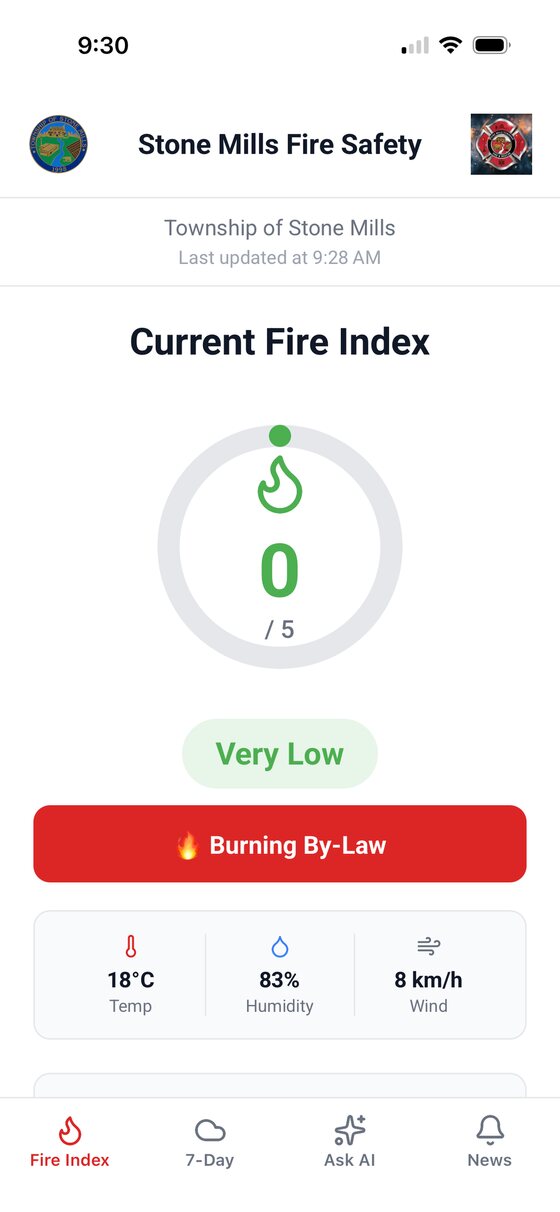
App home screen showing the current fire index as a dial, with temperature, humidity and wind.
Fire index
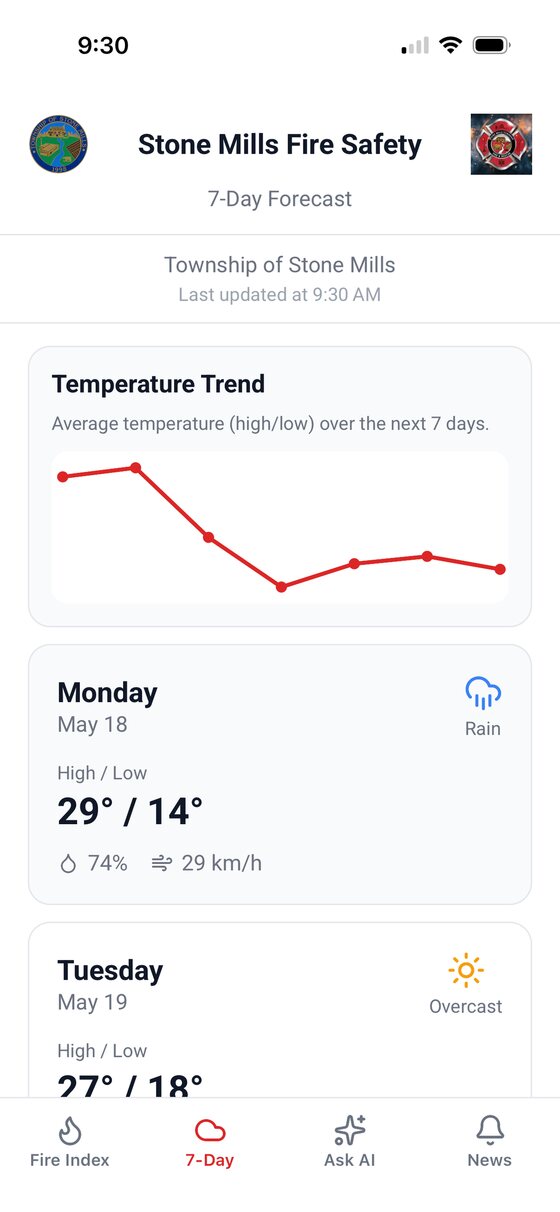
App seven-day forecast screen with a temperature trend chart and daily cards showing high, low, humidity and wind.
7-day forecast
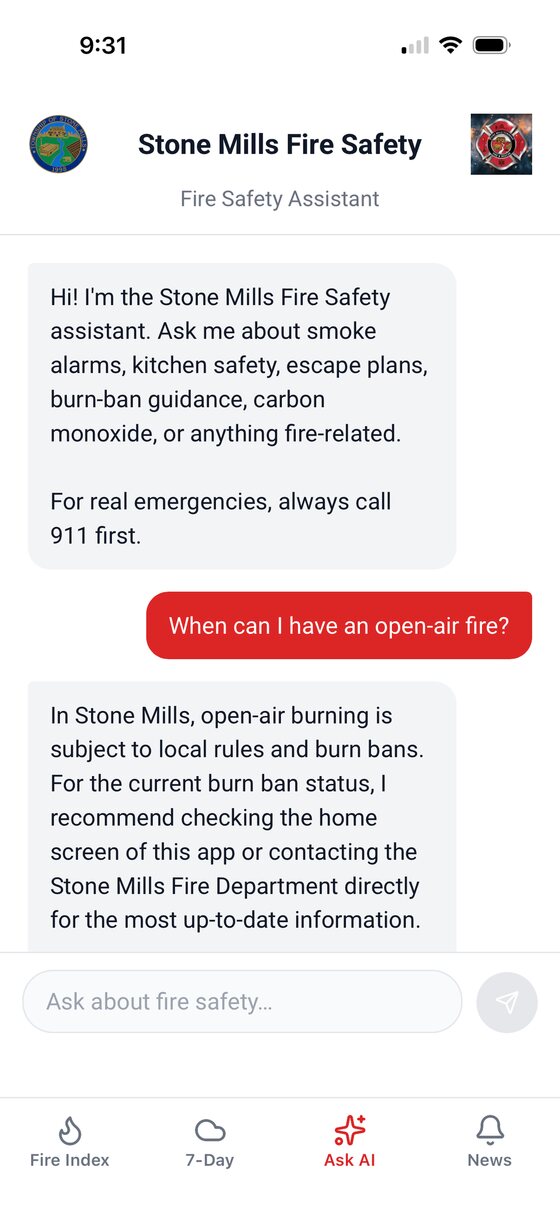
App fire safety assistant answering a resident question about when open-air burning is allowed.
Fire safety assistant
Burn permits

The whole permit, start to finish, in writing.

Residents apply online. You approve or decline from the console. Everyone involved gets an email they can show someone — which is what matters when a fire gets away on a permitted burn.

Permits are an optional module, enabled per township. Some departments take permits this way; others keep their existing process and use the platform for conditions and alerts only. You can see the permit flow running end to end on the demo site.

01

Resident applies

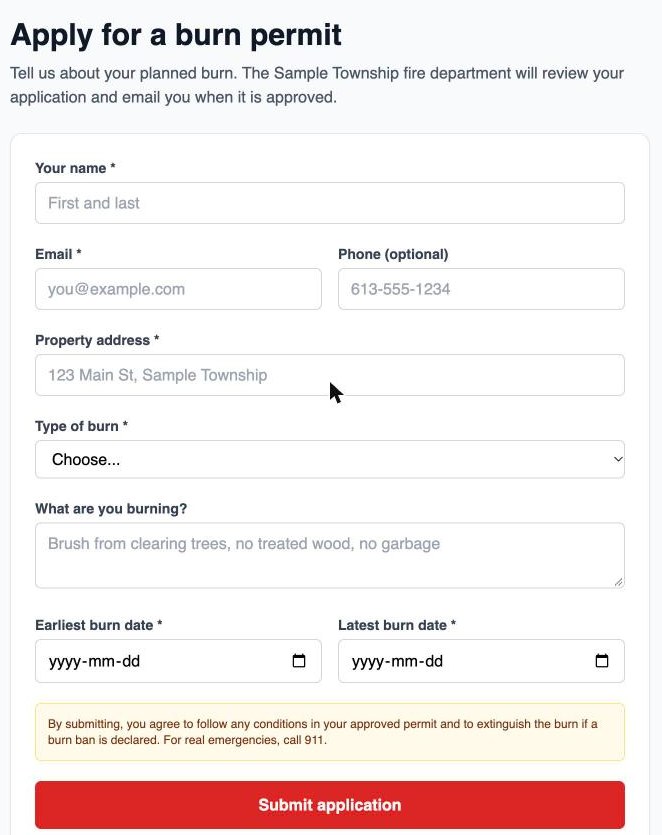
Name, contact, burn dates, location and what they’re burning — submitted from the website or the app.

02

Both sides are notified

The resident gets a numbered confirmation that says plainly it is not yet a permit. Your department gets the application with a link straight to the console.

03

You approve or decline

In the admin console, with conditions attached to an approval or a written reason on a decline.

04

The decision is emailed

Approved permits carry the dates, your conditions and the safety reminders. Declines carry the reason and a clear do-not-burn.

The burn permit application form showing fields for name, email, phone, property address, type of burn, what is being burned, and burn dates.
Every permit gets a number

Issued on submission and carried through every email, so a resident at the roadside can produce it and your department can look it up.

A permit never overrides a burn ban

If a ban is in effect when you review an application, the approval email says so in writing — the permit does not authorize burning while the ban stands.

Department email goes to the right people

Notifications reach your listed administrators and the department address, with Reply-To set to the applicant so you can simply hit reply.

Applications never get lost to a mail problem

The permit is saved and the decision recorded before any email goes out, so a mail outage can’t drop an application or undo an approval.

For your township

Your own site. Your own name on it.

Each department gets a dedicated address and a branded public page. Nothing is shared with the township next door except the app your residents download.

stonemills.snowmaan.ca — live
yourtownship.snowmaan.ca
demo.snowmaan.ca — try it now

Setup is handled on our side. You supply your township’s logo, your station locations and the name of whoever will post bans. We configure the fire-weather feed to your coordinates and hand over the console.

Live now

Stone Mills Fire & Emergency Services.

Stone Mills was the founding department on the platform, and residents there use it today on web, iOS and Android.

Stone MillsFounding department
Web · iOS · AndroidResident access
DailyFire-weather refresh

Fifteen minutes, at your fire hall.

We come to you, open the live platform on the screen, and you decide. No slide deck.

Book a demo